
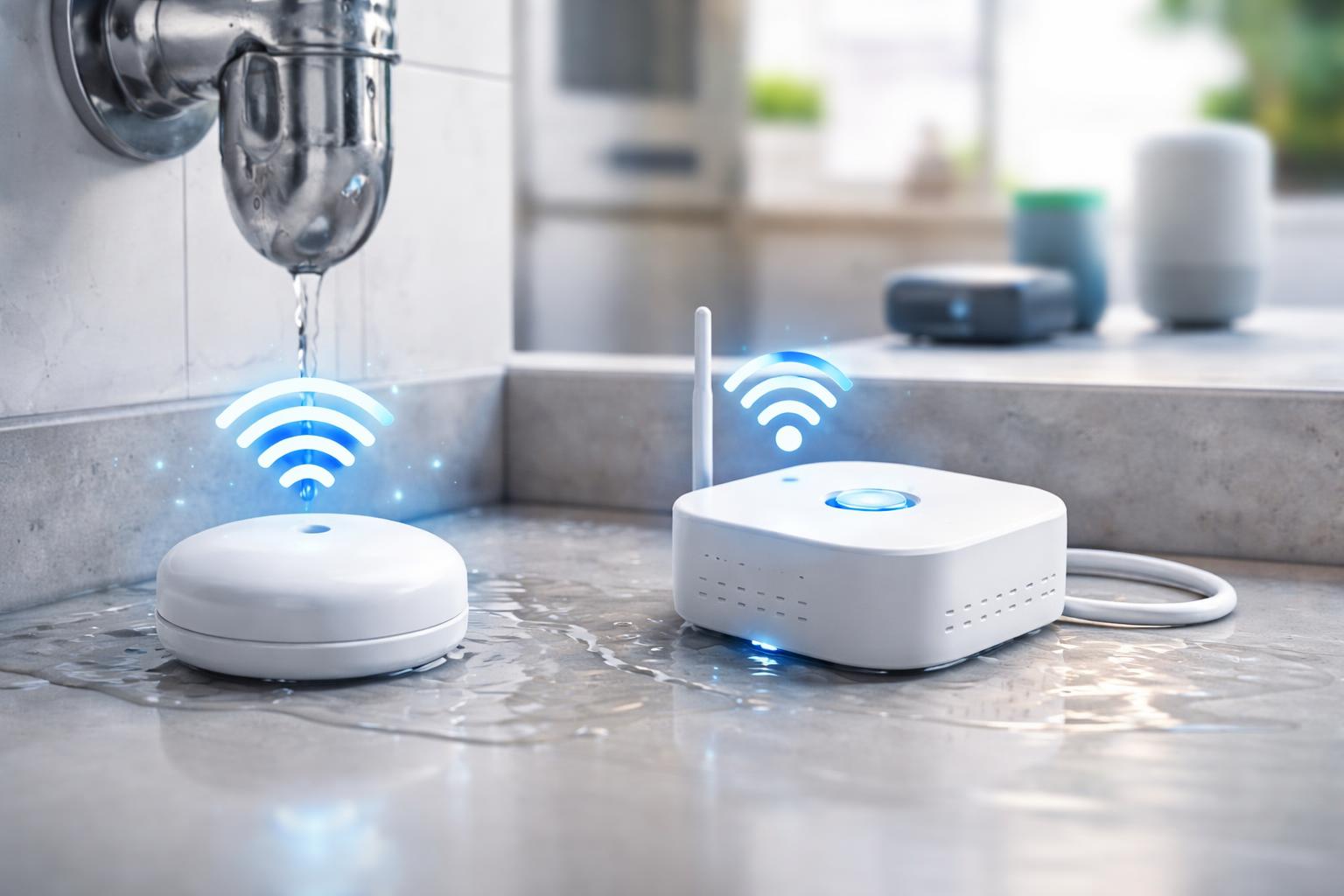
Wi-Fi vs. Z-Wave Leak Sensors: Choosing the Right Smart Home System for Water Detection
Wi-Fi vs. Z-Wave Leak Sensors: Choosing the Right Smart Home System for Water Detection
Choosing between Wi-Fi and Z-Wave leak sensors for your smart home largely depends on your existing smart home setup, desired network reliability, and battery life preferences. Wi-Fi sensors offer simple setup, often without a separate hub, making them ideal for simple installations or adding a single device to an existing Wi-Fi network. Z-Wave sensors, while requiring a dedicated hub, excel in creating robust, low-power mesh networks with extended battery life and superior reliability, making them a better choice for comprehensive smart homes with multiple devices that need consistent communication.Water leaks can cause devastating damage to your home, leading to costly repairs, structural issues, and even health hazards from mold growth. In the realm of smart home automation, water leak sensors have emerged as an invaluable tool for proactive detection, offering homeowners peace of mind and the ability to prevent minor drips from turning into major disasters. These clever devices can detect the presence of water in critical areas – under sinks, near water heaters, in basements – and immediately alert you, often before significant damage occurs. But as with many smart home technologies, you’re faced with choices when it comes to connectivity. The two most prominent contenders for smart leak detection are Wi-Fi and Z-Wave, each bringing its own set of advantages and considerations to the table. Understanding these differences is crucial for selecting the system that best integrates with your home and meets your specific needs for reliability, ease of use, and overall smart home ecosystem compatibility.
Understanding Smart Leak Detection Technology
At their core, smart leak sensors are simple devices designed to do one thing: detect water. They typically consist of a main unit with conductive probes or a sensing cable that, when bridged by water, completes an electrical circuit. This triggers an alert, which the sensor then transmits wirelessly to your smartphone or a central smart home hub. The magic of "smart" detection lies in this wireless communication. Instead of just sounding a local alarm, these sensors can send push notifications, emails, or even trigger other smart home actions, like shutting off a smart water valve, giving you instant awareness and control, even when you're away from home. The underlying technology that enables this wireless communication is where Wi-Fi and Z-Wave diverge.Wi-Fi Leak Sensors: Simplicity and Direct Connection
Wi-Fi leak sensors leverage your home's existing Wi-Fi network to communicate. This direct approach makes them appealing for many users, especially those new to smart home technology or looking to add a few standalone devices.How Wi-Fi Sensors Work
Wi-Fi sensors connect directly to your home's Wi-Fi router, just like your smartphone, laptop, or smart TV. They are assigned an IP address on your network and communicate directly with the manufacturer's cloud service or a companion app on your phone. When water is detected, the sensor sends a signal through your Wi-Fi network to the internet, which then routes the alert to your paired smartphone app.Advantages of Wi-Fi Leak Sensors
Easy Setup: For many, the most significant advantage is the plug-and-play nature. You typically just connect them to your Wi-Fi network via an app, with no additional hardware (like a hub) required. No Hub Needed: This saves on upfront costs and reduces clutter, making them an attractive option if you only need a few smart devices or don't want to invest in a full smart home ecosystem yet. Direct Smartphone Alerts: Alerts are typically sent directly to your phone via the sensor's dedicated app, ensuring you get notifications quickly. Widespread Adoption: Given that almost every home has Wi-Fi, these sensors integrate into a familiar and readily available infrastructure. Examples: The Govee Wi-Fi Water Leak Detector is a popular example, known for its simple setup and reliable performance directly over your home Wi-Fi network.Disadvantages of Wi-Fi Leak Sensors
Battery Drain: Wi-Fi is a power-hungry protocol. Devices constantly connecting and maintaining a Wi-Fi signal consume more power, leading to shorter battery life compared to Z-Wave. This means more frequent battery replacements. Network Congestion: Every Wi-Fi device adds to the traffic on your router. A large number of Wi-Fi smart devices can potentially slow down your network, especially if you have a lot of data-intensive devices already connected. Dependence on Router: If your Wi-Fi router goes down or loses power, your sensors will stop communicating. Their range is also limited by your router's signal strength and the layout of your home. Limited Range: Wi-Fi signals can be attenuated by walls, floors, and other obstructions, potentially leaving some areas of a larger home unprotected. Security Concerns: While most Wi-Fi devices use encryption, every connected device is potentially another entry point for security vulnerabilities. Single Point of Failure: The reliability of your Wi-Fi network is paramount. If your router fails or experiences issues, all your Wi-Fi sensors will lose connectivity.Z-Wave Leak Sensors: Reliability and Robust Networks
Z-Wave is a dedicated wireless protocol specifically designed for smart home devices. Unlike Wi-Fi, it operates on a different radio frequency, which helps avoid interference and congestion with your existing Wi-Fi network.How Z-Wave Sensors Work
Z-Wave devices communicate with each other and a central Z-Wave hub, not directly with your Wi-Fi router. The hub acts as the brain, translating Z-Wave signals into Wi-Fi or Ethernet signals that can then be accessed by your smartphone or other internet-connected devices. A key feature of Z-Wave is its mesh networking capability. Each Z-Wave device that is powered (like a smart plug or light switch) can act as a repeater, extending the network's range by passing signals between the hub and other devices, especially battery-powered sensors like leak detectors. This creates a highly reliable and extensive network throughout your home.Advantages of Z-Wave Leak Sensors
Low Power Consumption: Z-Wave is a very efficient protocol, allowing battery-powered sensors to last for years on a single set of batteries, significantly reducing maintenance. Robust Mesh Network: The mesh architecture means that signals can "hop" from one Z-Wave device to another, extending the network's reach far beyond what a single Wi-Fi router can cover. This ensures reliable communication even in larger homes or areas prone to dead spots. Less Wi-Fi Congestion: Since Z-Wave operates on a separate frequency (908.42 MHz in the US), it doesn't interfere with or burden your existing Wi-Fi network, leaving your Wi-Fi bandwidth free for other devices. Better Range and Reliability: Thanks to the mesh networking, Z-Wave networks are generally more reliable and cover larger areas than typical Wi-Fi setups, crucial for critical alerts like water detection. Interoperability: Z-Wave devices from different manufacturers are designed to work together through a certified hub, offering greater flexibility in building out your smart home system. Enhanced Security: Z-Wave includes robust security measures, often employing AES 128-bit encryption, which is a high standard for protecting your smart home data. Examples: The Aeotec Z-Wave Water Sensor and the Ring Z-Wave Flood & Freeze Sensor are excellent choices, known for their long battery life and seamless integration into Z-Wave smart home ecosystems.Disadvantages of Z-Wave Leak Sensors
Requires a Hub: This is the primary hurdle. You need a dedicated Z-Wave hub (like SmartThings, Hubitat, or Home Assistant) to get started, which adds an initial cost and another device to manage. Initial Setup Complexity: Setting up a Z-Wave network can be slightly more involved than connecting a Wi-Fi device, as you need to pair devices with the hub and sometimes optimize the mesh network. Fewer Standalone Options: Z-Wave devices are designed to be part of an ecosystem, so you won't find many Z-Wave leak sensors that work completely independently without a hub.Zigbee Leak Sensors: A Close Relative
While the primary focus is on Wi-Fi and Z-Wave, it's worth briefly mentioning Zigbee. Zigbee is another popular wireless protocol for smart homes, sharing many similarities with Z-Wave. Like Z-Wave, Zigbee operates on a low-power mesh network, requires a hub (though often a different one than Z-Wave), and is excellent for extending battery life and network range. Devices like the Aqara Zigbee Water Leak Sensor leverage this technology to provide reliable, energy-efficient water detection. If your existing smart home system primarily uses Zigbee, opting for Zigbee leak sensors would be the natural choice to maintain ecosystem compatibility.Key Factors to Consider When Choosing
Making the right decision between Wi-Fi and Z-Wave for your leak sensors boils down to several key factors that reflect your individual smart home aspirations and practical needs.Existing Smart Home Ecosystem
Wi-Fi: If you already have a handful of Wi-Fi-connected devices (smart plugs, cameras) and use an ecosystem like Google Home or Amazon Alexa primarily through their direct Wi-Fi integrations, Wi-Fi sensors will likely fit right in. Z-Wave/Zigbee: If your smart home is built around a dedicated hub like SmartThings, Hubitat, Home Assistant, or even specific security systems that incorporate Z-Wave or Zigbee, then choosing sensors with these protocols makes sense for seamless integration and centralized control.Network Coverage and Range
Consider the size of your home and the locations where you plan to place sensors.Wi-Fi: May struggle in larger homes or areas far from your router, potentially requiring Wi-Fi extenders. Z-Wave/Zigbee: Excel in larger homes due to their mesh networking capabilities, where each powered device helps extend the network’s reach.
Battery Life
This impacts maintenance and reliability.Wi-Fi: Generally shorter battery life (months), requiring more frequent checks and replacements. Z-Wave/Zigbee: Significantly longer battery life (years), meaning less hassle and less chance of a sensor being offline due to a dead battery.
Reliability and Response Time
For critical alerts like water leaks, prompt and reliable notifications are paramount.Wi-Fi: Can be affected by Wi-Fi congestion, router issues, or internet outages. Z-Wave/Zigbee: Less prone to interference, and their local communication (device to hub) often means quicker response times within the network, even if internet goes down (though external alerts still need internet).
Ease of Installation and Setup
Wi-Fi: Often the simplest for beginners, with no hub required and simple app-based pairing. Z-Wave/Zigbee: Requires an initial investment in a hub and a slightly more involved pairing process, but once set up, adding more devices is usually simple.Scalability
Think about your future smart home plans.Wi-Fi: You can keep adding Wi-Fi devices, but each adds to network congestion and could strain your router. Z-Wave/Zigbee: Designed for scalability. Adding more powered Z-Wave/Zigbee devices actually strengthens and extends your mesh network.
Security
While all reputable smart home brands prioritize security, dedicated protocols often have built-in advantages.Wi-Fi: Relies on standard Wi-Fi security (WPA2/WPA3), but direct internet exposure can be a concern for some. Z-Wave/Zigbee: Often include robust encryption (e.g., AES 128-bit) and operate on separate, less common frequencies, adding an extra layer of isolation.
Power Outages
Consider what happens if your power goes out.Wi-Fi: Most Wi-Fi routers will go down without power, rendering Wi-Fi sensors inactive. Z-Wave/Zigbee: If your hub has battery backup or is connected to a UPS, Z-Wave/Zigbee sensors can continue to communicate with the hub locally. However, internet-based alerts will still fail without an active internet connection.
For a broader understanding of how smart water leak detectors fit into a comprehensive home protection strategy, you might find our guide on The Best Smart Water Leak Detectors & Shut-Off Valves for Homeowners in 2024 particularly useful.
Comparison Table: Wi-Fi vs. Z-Wave Leak Sensors
To help visualize the differences, here's a direct comparison:| Feature | Wi-Fi Leak Sensors | Z-Wave Leak Sensors |
|---|---|---|
| Connectivity | Directly to home Wi-Fi router | To a Z-Wave hub, then to Wi-Fi/Ethernet |
| Hub Required | No (typically) | Yes |
| Network Type | Star network (devices connect to router) | Mesh network (devices can relay signals) |
| Operating Frequency | 2.4 GHz or 5 GHz (standard Wi-Fi bands) | Sub-1 GHz (e.g., 908.42 MHz in US) |
| Battery Life | Shorter (months) | Longer (years) |
| Network Congestion | Adds to Wi-Fi traffic, potential for slowdowns | Operates on separate frequency, no Wi-Fi impact |
| Range & Coverage | Limited by router's signal strength; dead spots common in larger homes | Extended by mesh network; better for large homes |
| Ease of Setup | Generally easier, direct app connection | Slightly more involved, requires hub setup and pairing |
| Scalability | Each device adds to router load; potential for performance issues with many devices | Highly scalable; more powered devices strengthen the network |
| Reliability | Dependent on Wi-Fi stability, prone to interference | High; robust mesh network, less interference |
| Interoperability | Often limited to brand ecosystem or specific integrations | Designed for broad interoperability with Z-Wave certified devices via hub |