
Disclosure: This article contains affiliate links. As an Amazon Associate, we earn from qualifying purchases at no extra cost to you.
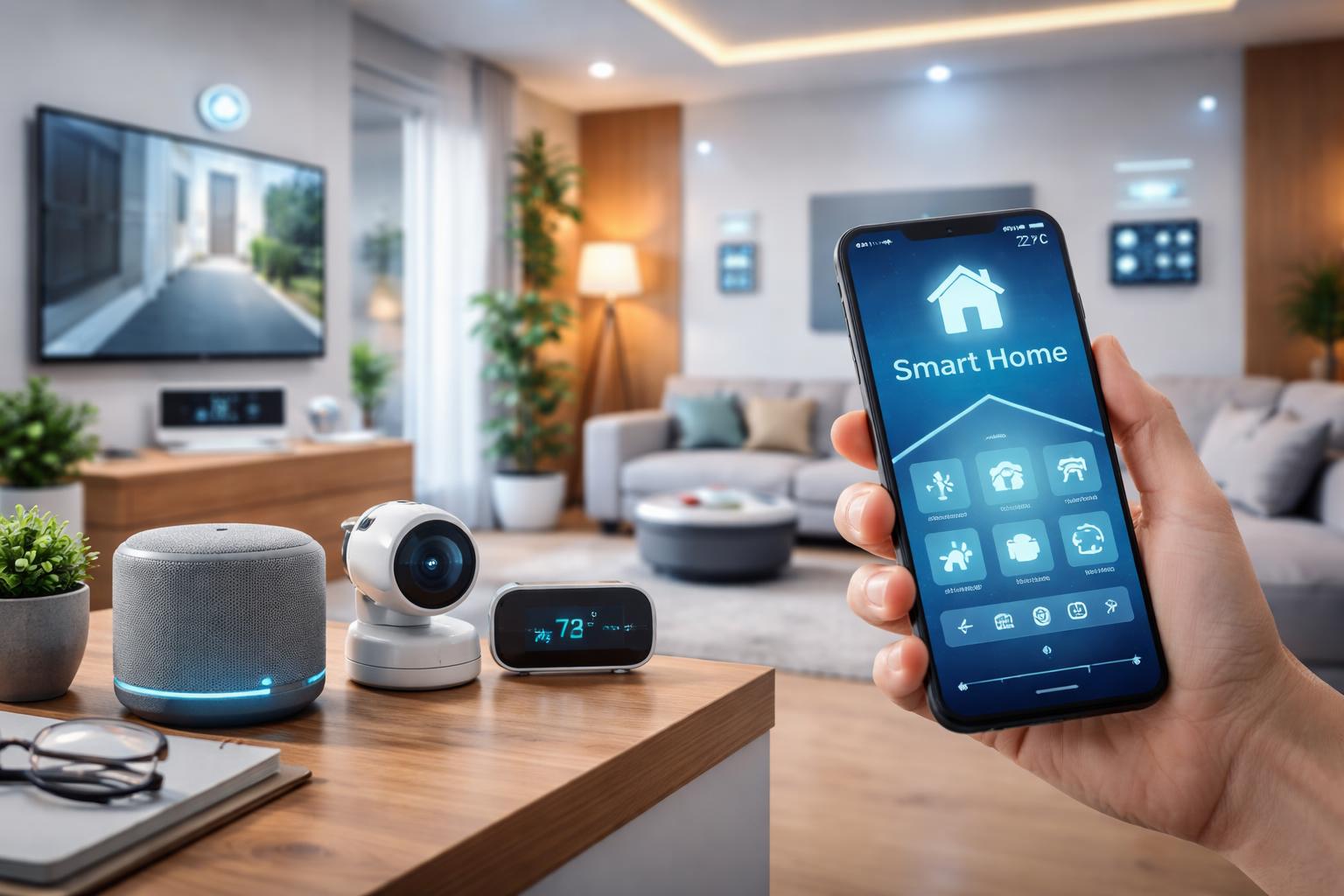
Embarking on the journey of smart home automation means transforming your living space into an intelligent, responsive environment that caters to your comfort, security, and efficiency needs. For beginners, this involves strategically integrating various internet-connected devices—like smart speakers, lighting, thermostats, and security cameras—into a cohesive system that you can control remotely or automate based on schedules and conditions, ultimately simplifying daily routines and enhancing your quality of life by 2026 and beyond.
Why Embrace Smart Home Automation?
The allure of a smart home extends far beyond mere convenience; it’s about creating a living space that works smarter for you. As technology continues to evolve rapidly towards 2026, the benefits of automating your home are becoming more accessible and impactful than ever before. Let’s explore the compelling reasons why you should consider making your home a smart home.
Unparalleled Convenience and Comfort
- Effortless Control: Imagine adjusting your lights, thermostat, or even brewing coffee with a simple voice command or tap on your smartphone, whether you’re on the couch or halfway across the world.
- Personalized Ambiance: Create custom lighting scenes for movie night, dinner parties, or winding down, transforming the mood of any room instantly.
- Automated Routines: Set your lights to dim as bedtime approaches, have your smart thermostat adjust before you arrive home, or wake up to freshly brewed coffee. Your home adapts to your lifestyle.
Enhanced Security and Peace of Mind
- Proactive Monitoring: Keep an eye on your home with smart cameras and video doorbells, receiving instant alerts for unusual activity.
- Remote Access: Check in on your pets, children, or elderly family members from anywhere, ensuring their safety and your tranquility.
- Deterrence: Smart lighting and security systems can give the impression that your home is occupied, even when you’re away, deterring potential intruders.
Significant Energy Efficiency and Savings
- Intelligent Climate Control: Smart thermostats learn your preferences and adjust heating and cooling based on occupancy, weather, and schedules, reducing energy waste.
- Automated Lighting: Ensure lights are off when rooms are empty or adjust brightness based on natural light availability, trimming your electricity bill.
- Device Management: Smart plugs can cut power to “vampire” devices, preventing standby energy drain and contributing to overall savings.
Increased Accessibility and Support
- Voice Control for All: For individuals with mobility challenges, voice-activated smart home devices provide an invaluable means of controlling their environment independently.
- Simplified Tasks: Automate repetitive chores like vacuuming, freeing up time and reducing physical strain.
- Safety Features: Smart sensors can detect leaks, smoke, or carbon monoxide, sending immediate alerts to ensure timely action and safety.
Getting Started: The Foundational Elements
Diving into smart home automation doesn’t have to be overwhelming. Like building any good structure, a strong foundation is key. Here’s what you’ll need to consider first to ensure a smooth and successful smart home setup.
The Smart Home Hub or Controller: The Brain of Your Operation
At the heart of many smart homes is a central device that acts as a bridge between your various smart gadgets and your commands. While not always strictly necessary for every single device, a hub often simplifies control, enables complex automations, and enhances compatibility.
- Smart Speakers: Many people begin their smart home journey with a smart speaker, which doubles as a voice-activated hub. These devices allow you to control lights, thermostats, and more with simple voice commands. Popular choices include the Amazon Echo Smart Speaker and the Google Nest Smart Speaker. They offer a user-friendly entry point to controlling a growing ecosystem of smart devices.
- Dedicated Hubs: For more complex setups or specific protocols (like Zigbee or Z-Wave), dedicated hubs like Samsung SmartThings or Hubitat provide robust control and broader device compatibility.
- Smartphone Apps: For individual devices or smaller setups, your smartphone with dedicated apps often serves as the primary controller.
A Robust and Reliable Wi-Fi Network: The Backbone of Your Smart Home
Most smart home devices rely on your home’s Wi-Fi network to communicate with each other and with you. A strong, stable, and secure Wi-Fi connection is non-negotiable for a responsive and frustration-free smart home experience. Consider:
- Router Quality: Invest in a modern router capable of handling multiple connected devices without performance degradation.
- Coverage: Ensure your Wi-Fi signal reaches every corner of your home where you plan to install smart devices. Mesh Wi-Fi systems are excellent for larger homes or those with dead zones.
- Security: Use a strong, unique password for your Wi-Fi network and enable WPA2/WPA3 encryption to protect your smart home from unauthorized access.
A Plan and Your Priorities: What Do You Want to Automate First?
Before buying any devices, take a moment to consider what aspects of your home you want to make smarter. Start small and expand gradually. Ask yourself:
- What are my biggest pain points? (e.g., forgetting to turn off lights, security concerns)
- Which daily routines could be simplified? (e.g., waking up, leaving for work, bedtime)
- What’s my budget for initial devices?
- Which areas of my home would benefit most from automation?
Prioritizing helps you focus your purchases and build a smart home that truly meets your needs, rather than just acquiring gadgets.
Essential Smart Home Categories & Devices for Beginners (2026 Checklist)
With your foundation in place, it’s time to explore the popular categories of smart devices that offer the most immediate benefits and are perfect for newcomers to smart home automation. This checklist prepares you for a connected home experience well into 2026.
Smart Lighting: Set the Mood, Save Energy
Smart lighting is often one of the first forays into home automation, and for good reason. It’s impactful, relatively easy to install, and immediately enhances ambiance and efficiency.
- Smart Bulbs: These screw directly into existing fixtures and connect to your Wi-Fi or a hub. They allow you to control brightness, color, and schedules via an app or voice. Brands like the Philips Hue Smart Lighting Kit offer excellent quality and a wide range of products.
- Smart Switches/Dimmers: If you prefer to keep your existing bulbs but want smart control over an entire circuit, smart switches are the way to go. They replace your traditional light switches and offer similar app and voice control.
- Benefits: Remote control, custom scenes, dimming capabilities, energy savings through scheduling and presence detection.
Smart Plugs: Turn Anything Smart
For sheer versatility and ease of use, smart plugs are hard to beat. They are an incredibly simple way to introduce smart capabilities to “dumb” appliances and lamps without replacing them.
- How they work: You plug the smart plug into a standard wall outlet, and then plug your appliance into the smart plug. It connects to your Wi-Fi, allowing you to turn the connected device on or off remotely.
- Uses: Control lamps, coffee makers, fans, holiday lights, and more. You can set schedules, integrate them into routines, and control them with your voice. The TP-Link Kasa Smart Plug is a popular and reliable choice. You can even use a second TP-Link Kasa Smart Plug for another appliance!
- Benefits: Cost-effective, easy installation, remote control of non-smart devices, energy monitoring on some models.
Smart Thermostats: Intelligent Climate Control
Beyond just changing the temperature, smart thermostats learn your preferences, adapt to your schedule, and can even sense when you’re away, optimizing your home’s climate for comfort and energy efficiency.
- Key Features: Remote temperature control, scheduling, geofencing (adjusting based on your phone’s location), energy usage reports, and integration with other smart home systems.
- Popular Options: The Nest Learning Thermostat is renowned for its intuitive learning capabilities and sleek design, helping you save on heating and cooling bills without sacrificing comfort.
- Benefits: Significant energy savings, enhanced comfort, environmental impact reduction, granular control over your home’s climate.
Smart Security: Peace of Mind at Your Fingertips
Home security has been revolutionized by smart technology, offering accessible and proactive ways to protect your property and loved ones.
- Video Doorbells: These allow you to see, hear, and speak to visitors from anywhere using your smartphone, even if you’re not home. They often include motion detection and night vision. The Ring Video Doorbell is a widely adopted solution for front-door security, providing alerts and recordings of activity. Another great option is the Ring Video Doorbell, which smoothly integrates with other smart home products.
- Security Cameras: Indoor and outdoor cameras provide continuous monitoring or motion-triggered recording, giving you a visual on different areas of your home.
- Benefits: 24/7 monitoring, remote access, instant alerts, two-way communication, deterrence against intruders.
Smart Cleaning: Automate Chores
Tired of vacuuming? Let a robot do it for you! Smart cleaning devices have become incredibly sophisticated, offering hands-free maintenance of your floors.
- Robot Vacuums: These autonomous devices navigate your home, cleaning floors on a schedule or on command. Advanced models map your home, avoid obstacles, and even self-empty their dustbins.
- Popular Choices: The iRobot Roomba Robot Vacuum is a pioneer in this category, known for its powerful cleaning capabilities and intelligent navigation.
- Benefits: Time-saving, consistent cleaning, improved air quality, convenient scheduling.
Connecting Your Smart Home: Understanding Ecosystems and Compatibility
One of the most crucial aspects of building a smart home is understanding how different devices communicate and integrate. This is where smart home ecosystems come into play. Choosing an ecosystem is akin to choosing an operating system for your smart home; it dictates which devices work best together and how smoothly they interact.
Major Smart Home Ecosystems
- Amazon Alexa: Powered by Amazon’s AI assistant, Alexa is a robust and widely supported ecosystem. Devices like the Amazon Echo act as central hubs, allowing voice control over a vast array of compatible smart devices from different manufacturers.
- Google Home/Assistant: Google’s offering is similar to Alexa, leveraging Google Assistant for voice control through devices like the Google Nest. It integrates well with Google services and Android devices.
- Apple HomeKit: Designed for Apple users, HomeKit offers strong privacy and security features. Devices “Works with Apple HomeKit” are compatible and can be controlled via the Home app on iOS devices or Siri. An Apple HomePod or Apple TV can serve as a home hub.
- Samsung SmartThings: A more open platform that supports a broader range of connectivity protocols (Wi-Fi, Zigbee, Z-Wave), making it excellent for users who want maximum flexibility and device choice.
Compatibility and Interoperability
While choosing an ecosystem helps, not all devices are exclusive. Many devices support multiple ecosystems or standard communication protocols. Look for devices that are “Works with Alexa,” “Works with Google Assistant,” or “Works with Apple HomeKit.” This ensures they can be integrated into your chosen setup. Upcoming standards like Matter aim to significantly improve interoperability, allowing devices from different brands to work together more smoothly regardless of the ecosystem, which is something to look forward to by 2026.
Ecosystem Comparison Table
To help you decide which ecosystem might be best for your needs, here’s a brief comparison of the most popular options:
| Feature / Ecosystem | Amazon Alexa | Google Home | Apple HomeKit | Samsung SmartThings |
|---|---|---|---|---|
| Primary Control Method | Voice (Alexa), App | Voice (Google Assistant), App | Voice (Siri), Home App | SmartThings App |
| Integration with Other Services | Amazon services, vast 3rd-party skills | Google services, Android integration | Apple services, strong privacy | Broad device support, custom rules |
| Device Compatibility | Extremely wide (Wi-Fi, Zigbee via Echo devices) | Very wide (Wi-Fi) | Strictly controlled “Works with HomeKit” devices (Wi-Fi, Thread) | Broadest (Wi-Fi, Zigbee, Z-Wave) |
| Ease of Use for Beginners | Excellent | Excellent | Good for Apple users | Good, but can be more complex for advanced setups |
| Privacy Focus | Moderate | Moderate | High | Moderate |
Setting Up Your First Smart Devices: A Step-by-Step Guide
You’ve chosen your first smart devices and maybe even an ecosystem. Now comes the exciting part: bringing them to life! The process is generally simple, but here’s a common step-by-step guide to get you started.
- Unbox and Power On: Carefully unpack your new device and plug it into a power source. Many devices will indicate they are ready for pairing with a blinking light.
- Download the Manufacturer’s App: Most smart devices require their own dedicated app for initial setup, even if you plan to integrate them into a broader ecosystem later. Search for the brand’s app in your smartphone’s app store and create an account.
- Initiate Pairing: Open the app and follow the on-screen instructions to “Add Device” or “Set Up New Device.” This usually involves selecting your device type and putting the device into pairing mode (often by holding a button or cycling power).
- Connect to Wi-Fi: The app will guide you to connect the smart device to your home Wi-Fi network. Ensure you’re on a 2.4GHz network if the device only supports that frequency (many still do).
- Name and Customize: Give your device a clear, easy-to-remember name (e.g., “Living Room Lamp,” “Hallway Thermostat”). Customize settings like schedules, brightness, or temperature limits within the app.
- Integrate with Your Ecosystem (Optional but Recommended): If you have an Alexa, Google Home, or HomeKit hub, open its respective app (e.g., Alexa app, Google Home app) and enable the “skill” or “service” for the brand of your new device. Then, “Discover Devices” to pull your newly set-up gadget into your central smart home system.
- Set Up Basic Automations: Now, you can create simple routines. For example, “Turn on Living Room Lamp when I say ‘Good Morning'” or “Turn off all lights when I say ‘Good Night’.”
Troubleshooting Common Smart Home Issues
Even with the best planning, you might encounter a hiccup or two. Don’t worry, many common smart home problems have simple solutions.
- Device Not Connecting to Wi-Fi:
- Ensure your Wi-Fi password is correct.
- Check if your router is broadcasting a 2.4GHz network, as many smart devices only support this frequency.
- Move the device closer to your Wi-Fi router.
- Restart your router and the smart device.
- Voice Assistant Not Responding:
- Confirm your smart speaker/hub is powered on and connected to the internet.
- Speak clearly and naturally.
- Check if the device you’re trying to control is correctly linked to your voice assistant’s app.
- Make sure the device name is recognized by the voice assistant.
- Device Not Responding to Commands:
- Check the device’s status in its dedicated app; it might be offline.
- Ensure the device has power.
- Restart the device (unplug and plug back in).
- Check for firmware updates for the device.
- Verify the command or automation is set up correctly in your smart home app.
- General Sluggishness:
- Your Wi-Fi network might be overloaded; consider a mesh system or upgrading your router.
- Too many devices on one channel can cause interference.
Looking Ahead: The Future of Smart Homes in 2026 and Beyond
The smart home landscape is continuously evolving, and by 2026, we can expect even more sophisticated and seamless experiences. Here’s a glimpse into what the future holds:
- Enhanced AI and Predictive Automation: Smart homes will become even more intuitive, anticipating your needs based on learned patterns, external data (weather, traffic), and even biometric input. Imagine your home adjusting its environment before you even realize you need it to.
- Greater Interoperability with Matter: The Matter standard is poised to revolutionize device compatibility, allowing smart devices from various manufacturers and ecosystems to communicate effortlessly. This will simplify setup, reduce fragmentation, and open up new possibilities for complex automations.
- Sustainable Smart Homes: Energy efficiency will remain a top priority, with smart homes actively optimizing consumption, integrating with renewable energy sources, and providing even more granular data for eco-conscious living.
- Ubiquitous Sensing: Expect more ambient sensors embedded throughout homes, detecting everything from air quality and moisture levels to fall detection for elderly residents, offering proactive safety and comfort.
- Personalized Wellness: Smart homes will play a greater role in personal well-being, adjusting lighting for circadian rhythms, monitoring sleep patterns, and even providing personalized health insights.
The future of smart home automation is bright, promising homes that are not just intelligent, but truly intuitive, supportive, and integrated into every aspect of our lives.
Frequently Asked Questions (FAQ)
Q1: Is smart home automation difficult to set up for a beginner?
A1: Not at all! Most modern smart home devices are designed with user-friendliness in mind. Many simply require plugging in, downloading an app, and following a few on-screen prompts. Starting with a few simple devices like smart plugs or smart lighting is an excellent way to ease into it.
Q2: Do I need a central hub for all my smart devices?
A2: While a central hub (like a smart speaker or a dedicated hub) can simplify control and enable more complex automations, it’s not always strictly necessary, especially for beginners. Many individual smart devices connect directly to your home Wi-Fi and can be controlled via their own apps or integrated into ecosystems like Alexa or Google Home without a separate physical hub.
Q3: What are the main benefits of a smart thermostat?
A3: Smart thermostats offer several benefits, including significant energy savings by optimizing heating and cooling based on your schedule and presence, remote control from anywhere, personalized comfort through learning your preferences, and integration with other smart home devices for comprehensive climate management.
Q4: Are smart home devices secure?
A4: Security is a critical concern, and reputable smart home brands invest heavily in protecting their devices and user data. To enhance security, always use strong, unique passwords for your Wi-Fi and device accounts, enable two-factor authentication, and keep your device firmware updated. Be mindful of the privacy policies of the brands you choose.
Q5: Can I mix and match different brands of smart home devices?
A5: Yes, absolutely! This is very common. While some ecosystems (like Apple HomeKit) have stricter compatibility requirements, many devices from different brands can work together if they support the same major smart home ecosystem (like Amazon Alexa or Google Home). Standards like Matter are also making this interoperability even more seamless.
Congratulations on taking the first step towards a smarter, more connected home! By focusing on foundational elements, prioritizing your needs, and gradually expanding your setup, you’ll soon enjoy the incredible convenience, comfort, and peace of mind that smart home automation brings. Remember, the journey is as rewarding as the destination, and your smart home will continue to evolve and enhance your life for years to come.
2 thoughts on “Smart Home Automation for Beginners: A Complete Checklist for 2026”
Comments are closed.