
Disclosure: This article contains affiliate links. As an Amazon Associate, we earn from qualifying purchases at no extra cost to you.
Ecobee SmartThermostat vs. Google Nest Learning Thermostat: Which Saves More Energy for Your Home?
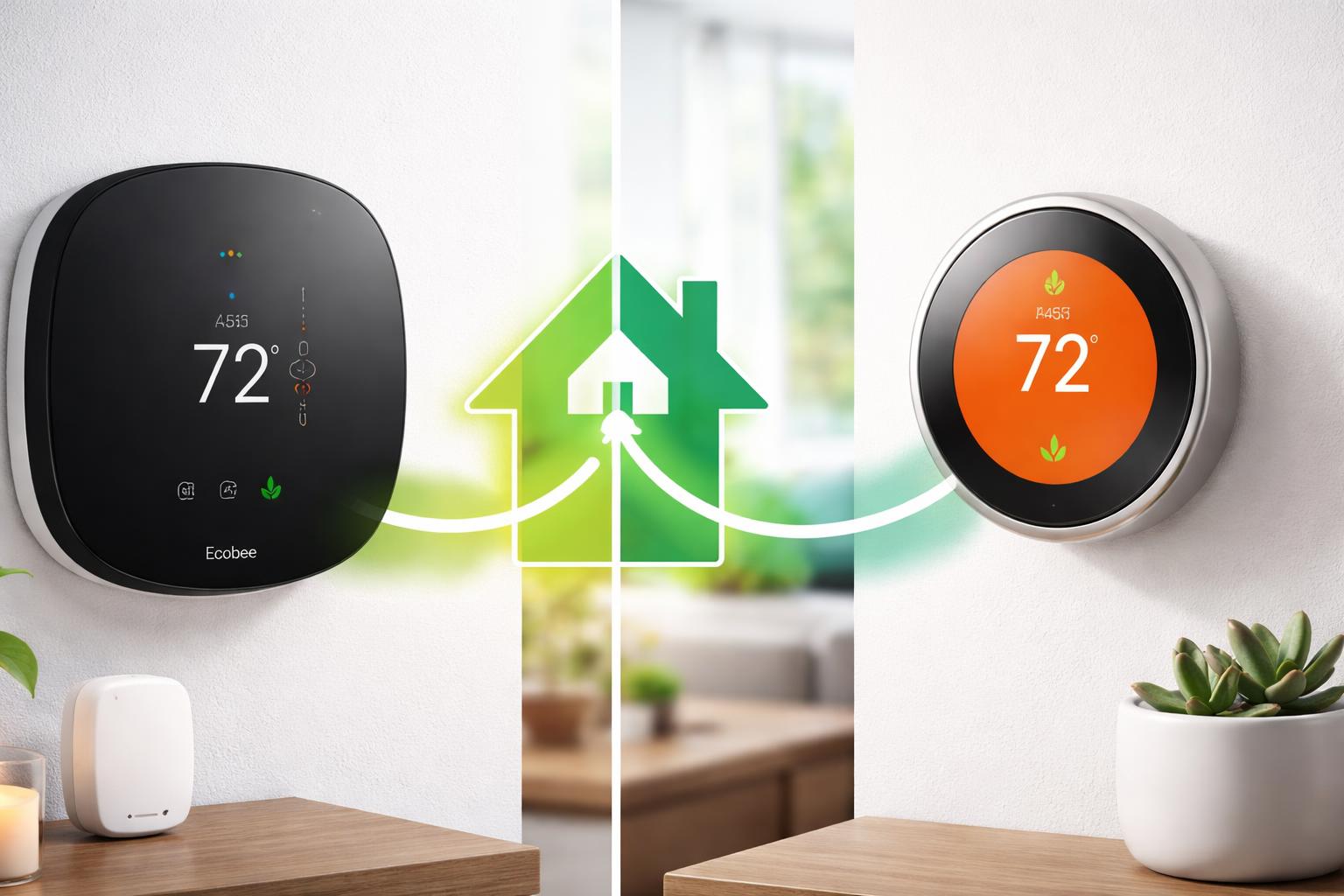
When it comes to saving energy and enhancing comfort in your home, both the Ecobee SmartThermostat and the Google Nest Learning Thermostat are top-tier contenders designed to reduce your heating and cooling costs. While both are incredibly effective, the **Ecobee SmartThermostat Premium** generally offers a more granular approach to energy savings through its comprehensive room sensor system and advanced customization options, whereas the **Google Nest Learning Thermostat** excels with its intuitive learning algorithms that adapt to your preferences over time. The best choice for energy savings ultimately depends on your home’s layout, your lifestyle, and your preference for either hands-on control or automated learning.
The quest for a smarter, more energy-efficient home often begins with the thermostat. Traditional thermostats offer basic temperature control, but smart thermostats elevate this to an art form, learning your habits, adapting to changing conditions, and providing insights that help you conserve energy without sacrificing comfort. In this detailed comparison, we’ll dive deep into two of the most popular and highly-rated smart thermostats on the market: the Ecobee SmartThermostat Premium and the Google Nest Learning Thermostat. We’ll explore their unique features, how they contribute to energy savings, and help you determine which one is the ideal fit for your specific home and energy-saving goals.
Understanding Energy Savings in Smart Thermostats
Before we compare the specific models, it’s important to understand how smart thermostats achieve energy savings. They go beyond simple scheduling by incorporating several intelligent features:
- Learning Algorithms: Some thermostats observe your preferences and create schedules automatically.
- Occupancy Sensors/Geofencing: They detect when you’re home or away and adjust temperatures accordingly.
- Room Sensors: They can read temperatures in multiple rooms, ensuring comfort where it matters most.
- Weather Integration: They use local weather forecasts to pre-heat or pre-cool your home efficiently.
- Energy Reports: They provide data on your energy usage, helping you identify areas for improvement.
- Smart Home Integration: They work with other smart devices to create a cohesive energy-saving ecosystem.
Both Ecobee and Nest leverage these principles, but they do so with distinct philosophies and feature sets.
Ecobee SmartThermostat Premium: Precision Through Sensors
The Ecobee SmartThermostat Premium takes a proactive and highly customizable approach to energy management, with its core strength lying in its ecosystem of remote SmartSensors. These small, discreet sensors can be placed in different rooms throughout your home to measure both temperature and occupancy.
Key Energy-Saving Features of Ecobee SmartThermostat Premium:
- SmartSensors for Whole-Home Comfort: Unlike thermostats that only read the temperature at their installation point, Ecobee’s included SmartSensor (and additional optional sensors) monitor temperatures and occupancy in multiple rooms. This means your thermostat heats or cools based on the average temperature of the occupied rooms, or even specific rooms you prioritize, preventing hot and cold spots and ensuring you’re comfortable where you actually are. This targeted heating/cooling avoids wasting energy on unoccupied areas or overcompensating for an inaccurate single reading.
- Follow Me Mode: When enabled, this feature detects which rooms are occupied and adjusts the thermostat based on the temperature in those specific rooms. If you’re in the living room, it prioritizes comfort there. When you leave, it reverts to a more general setting, saving energy.
- Eco+ Software: This suite of features works in the background to optimize your home’s energy consumption. It includes capabilities like:
- Intelligent Scheduling: Learns your home’s unique heating and cooling patterns and integrates local weather forecasts to optimize your schedule, pre-heating or pre-cooling when energy is cheaper or more efficient.
- Community Energy Savings: Optimizes your HVAC system to reduce demand during peak grid times, which can sometimes qualify you for local utility rebates.
- Window Open Detection: If a window or door is left open for an extended period, Ecobee can pause heating or cooling to avoid energy waste.
- Feels Like: Considers humidity to adjust the temperature for true comfort, preventing overcooling or overheating based solely on dry bulb temperature.
- Geofencing: While the SmartSensor provides occupancy detection within the home, Ecobee also offers geofencing through its app, allowing the thermostat to know when the last person leaves and the first person returns, automatically adjusting the temperature to save energy when no one is home and ensuring comfort upon arrival.
- Home IQ Energy Reports: Ecobee provides detailed monthly reports that break down your energy usage, showing you how factors like outside temperature, set temperatures, and system run times affect your consumption. These insights are invaluable for identifying further savings opportunities.
- Advanced Customizable Scheduling: Ecobee allows for highly detailed scheduling, letting you set different temperatures for different times of day and days of the week. This level of control, combined with sensor data, offers precise energy management.
Google Nest Learning Thermostat: Intelligent Adaptation and Simplicity
The Google Nest Learning Thermostat is renowned for its iconic design and its ability to learn your preferences. Its primary energy-saving mechanism revolves around its adaptive algorithms and seamless integration into the Google ecosystem, aiming for a “set it and forget it” experience.
Key Energy-Saving Features of Google Nest Learning Thermostat:
- Auto-Schedule (The Learning Feature): This is Nest’s flagship energy-saving feature. Instead of you setting a schedule, the Nest Learning Thermostat observes your temperature adjustments over the first few days and weeks. If you consistently turn up the heat at 7 AM on weekdays, Nest learns this and starts to pre-heat automatically. This creates a personalized schedule tailored to your habits, reducing the need for manual adjustments and ensuring comfort when you expect it, while optimizing for savings when you don’t.
- Home/Away Assist: Using a combination of its own built-in occupancy sensor, geofencing (via your phone’s location), and activity from other connected Nest devices, Home/Away Assist automatically switches your thermostat to an Eco temperature when no one is home. This prevents heating or cooling an empty house and automatically returns to your preferred temperature when you’re on your way back.
- Energy History & Reports: Similar to Ecobee, Nest provides comprehensive energy history. You can view daily summaries and monthly reports directly in the app, showing how much energy you’ve used and why. It highlights “Leaf” savings – instances where you’ve chosen an energy-saving temperature – providing positive reinforcement for eco-friendly habits.
- Farsight: This feature allows the thermostat’s display to show you the current temperature, weather, or time from across the room. While seemingly minor, it can subtly encourage you to check the temperature and make energy-conscious adjustments.
- Sunblock: Direct sunlight can make your thermostat think it’s warmer than it is, leading to unnecessary cooling. Nest’s Sunblock feature uses an internal sensor to detect direct sunlight and adjust the temperature reading, preventing overcooling.
- Rush Hour Rewards (and Seasonal Savings): In areas where utilities partner with Nest, Rush Hour Rewards can automatically adjust your temperature slightly during peak energy demand times to help reduce strain on the grid, potentially earning you rewards or credits from your utility provider. Seasonal Savings also subtly tweaks your schedule over weeks to find additional energy savings.
- Airwave (for AC systems): Nest can use your AC fan to circulate cool air after the compressor turns off, effectively extending the cooling without using more energy.
Ecobee SmartThermostat Premium vs. Google Nest Learning Thermostat: Feature Comparison for Energy Savings
To summarize their core differences and similarities regarding energy efficiency, here’s a direct comparison:
| Feature | Ecobee SmartThermostat Premium | Google Nest Learning Thermostat |
|---|---|---|
| Core Energy Saving Approach | Precision control via room sensors & advanced customization. | Adaptive learning algorithms & automated adjustments. |
| Room-Specific Sensing | Yes, with included SmartSensor and optional additional sensors; prioritizes occupied rooms. | No, relies on a single built-in sensor (though Nest Temperature Sensors can add this functionality to an extent, they are typically sold separately and offer temperature only). |
| Learning Schedules | Advanced scheduling with “Eco+” intelligent optimization, but primarily user-set. | Auto-Schedule automatically learns preferences and creates schedules. |
| Occupancy Detection | Yes, via SmartSensors and geofencing in the app. | Yes, via built-in sensor, geofencing, and other Nest devices (Home/Away Assist). |
| Geofencing | Yes, through the Ecobee app. | Yes, integrated into Home/Away Assist. |
| Energy Reporting/Insights | Detailed Home IQ reports showing environmental factors and run times. | Energy History with “Leaf” savings and daily/monthly summaries. |
| Smart Home Integration | Alexa built-in, integrates with Google Assistant, Apple HomeKit, SmartThings. | Deep integration with Google Home/Assistant ecosystem; works with many Works With Nest partners. |
| Humidity Management | Yes, “Feels Like” feature accounts for humidity. | Yes, also factors humidity into comfort. |
| Peak Time Optimization | Yes, Eco+ Community Energy Savings. | Yes, Rush Hour Rewards (utility dependent). |
Smart Home Integration and Its Impact on Energy Use
Both Ecobee and Nest are integral components of larger smart home ecosystems, and their ability to integrate with other devices can further enhance energy savings.
Ecobee in the Smart Home Ecosystem:
The Ecobee SmartThermostat Premium has Amazon Alexa built right in, allowing you to use voice commands not just for temperature control but also for playing music, setting timers, and interacting with other smart home devices. It also integrates smoothly with Google Assistant, Apple HomeKit, and Samsung SmartThings. This broad compatibility means you can create routines that incorporate other devices for energy efficiency. For example, your smart lights could turn off when Ecobee detects you’ve left the house, or your smart blinds could close to block sunlight based on Ecobee’s outdoor temperature readings.
Nest in the Google Home Ecosystem:
The Google Nest Learning Thermostat is a cornerstone of the Google Home ecosystem. Its integration with Google Assistant is robust, allowing for intuitive voice control and complex routines. Nest thermostats can interact with Nest Protect smoke and CO alarms (shutting down your HVAC in an emergency), Nest Cams, and other “Works with Google Home” devices. For example, if your Nest camera detects no activity for an extended period, it can signal the thermostat to switch to an Eco temperature. This cohesive ecosystem approach aims to make energy saving effortless by automating interactions between your devices. For those considering starting their smart home journey, understanding the different ecosystems can be key, as outlined in our guide on Smart Home Automation for Beginners: A Complete Checklist for 2026.
Installation and User Experience for Energy Management
Ease of use can significantly impact how effectively you leverage a smart thermostat’s energy-saving features. If it’s too complicated, you might not optimize it to its full potential.
Ecobee Installation and Experience:
Ecobee thermostats generally have a simple installation process, often including a Power Extender Kit (PEK) for homes without a common wire (C-wire). The app provides clear instructions. The user interface on the thermostat itself is a touchscreen, offering direct access to settings. The mobile app is comprehensive, providing detailed control over schedules, sensor settings, and Home IQ reports. While it offers more granular control, this might mean a slightly steeper learning curve for users who prefer a hands-off approach.
Nest Installation and Experience:
Nest thermostats are also designed for relatively easy DIY installation, with clear instructions in the box and via the app. Many homes can install a Nest thermostat without a C-wire, though a C-wire generally provides more stable operation. The Nest’s signature rotating ring interface is incredibly intuitive, making on-device adjustments simple and satisfying. The Google Home app (where Nest devices are now managed) is clean and user-friendly, providing easy access to schedules, energy history, and Home/Away Assist settings. Its learning capabilities mean you interact with it less once it’s learned your habits, making it ideal for those who prefer automation over constant manual tweaking.
Which Smart Thermostat Saves More Energy for YOUR Home?
Deciding between the Ecobee SmartThermostat Premium and the Google Nest Learning Thermostat for maximum energy savings really boils down to your personal preferences and home specifics:
- Choose Ecobee SmartThermostat Premium if:
- You have a larger home or multiple rooms with significant temperature differences. The remote sensors are a powerful tool for zoning and ensuring comfort only where needed.
- You prefer a more hands-on approach to scheduling and fine-tuning your energy settings.
- You want built-in voice assistant capabilities (Alexa).
- You value detailed energy reports that help you dissect your usage patterns.
- You want advanced features like window open detection and “Feels Like” temperature.
- Choose Google Nest Learning Thermostat if:
- You prefer a thermostat that learns your habits and automatically creates an optimized schedule for you.
- You value simplicity and an intuitive “set it and forget it” experience.
- You are already deeply invested in the Google Home ecosystem or plan to be.
- Your home doesn’t have extreme temperature variances between rooms, or you’re okay with the primary temperature reading being at the thermostat’s location (though Nest Temperature Sensors can mitigate this to an extent).
- You appreciate the iconic design and simple, rotating-ring interface.
Both devices are proven to deliver substantial energy savings, often quoted in the range of 10-15% or more on heating and cooling costs. The actual savings will depend heavily on your existing habits, insulation, local climate, and how effectively you use the thermostat’s features.
Frequently Asked Questions (FAQ)
Q1: Do smart thermostats really save money on energy bills?
A: Yes, absolutely. Studies by organizations like ENERGY STAR and internal data from Ecobee and Nest consistently show that smart thermostats can save users between 10-15% or more on their heating and cooling costs annually. This is achieved by optimizing schedules, adjusting temperatures when you’re away, and providing insights into your energy usage.
Q2: Can I control these thermostats remotely?
A: Both the Ecobee SmartThermostat Premium and the Google Nest Learning Thermostat can be fully controlled remotely via their respective smartphone apps (Ecobee app for Ecobee, Google Home app for Nest). This allows you to adjust temperatures, change settings, and monitor usage from anywhere with an internet connection.
Q3: Do I need a C-wire for installation?
A: While a C-wire (common wire) is always recommended for stable power to any smart thermostat, the Ecobee SmartThermostat Premium includes a Power Extender Kit (PEK) in the box to help homes without a C-wire. The Google Nest Learning Thermostat can often operate without a C-wire by “power stealing,” though a C-wire is still preferred for optimal performance, especially with multi-stage systems.
Q4: Which thermostat is better for homes with varying temperatures in different rooms?
A: For homes with noticeable temperature differences between rooms, the Ecobee SmartThermostat Premium typically offers a more robust solution. Its remote SmartSensors actively monitor temperature and occupancy in multiple rooms, allowing the thermostat to adjust for true whole-home comfort and avoid overcooling or overheating less frequently used areas.
Q5: How do they handle extreme weather conditions?
A: Both thermostats integrate with local weather forecasts to optimize performance. They can pre-heat or pre-cool your home more efficiently based on anticipated conditions. Features like Ecobee’s Eco+ and Nest’s Sunblock also help them adapt to extreme heat or cold, preventing your HVAC system from working harder than necessary.
Conclusion
In the battle of Ecobee SmartThermostat Premium vs. Google Nest Learning Thermostat, there’s no single “winner” for everyone, but rather a best fit for specific needs. Both are exceptional smart thermostats capable of delivering significant energy savings and enhancing your home’s comfort. The Ecobee SmartThermostat Premium excels with its precise, sensor-driven control and deep customization, making it ideal for those who want to fine-tune every aspect of their climate control, especially in homes with inconsistent temperatures. The Google Nest Learning Thermostat shines with its intelligent learning capabilities and effortless automation, perfect for users who prefer a hands-off approach and a seamless integration into the Google ecosystem. Whichever you choose, investing in either of these smart thermostats is a smart step towards a more energy-efficient and comfortable home.