
Disclosure: This article contains affiliate links. As an Amazon Associate, we earn from qualifying purchases at no extra cost to you.
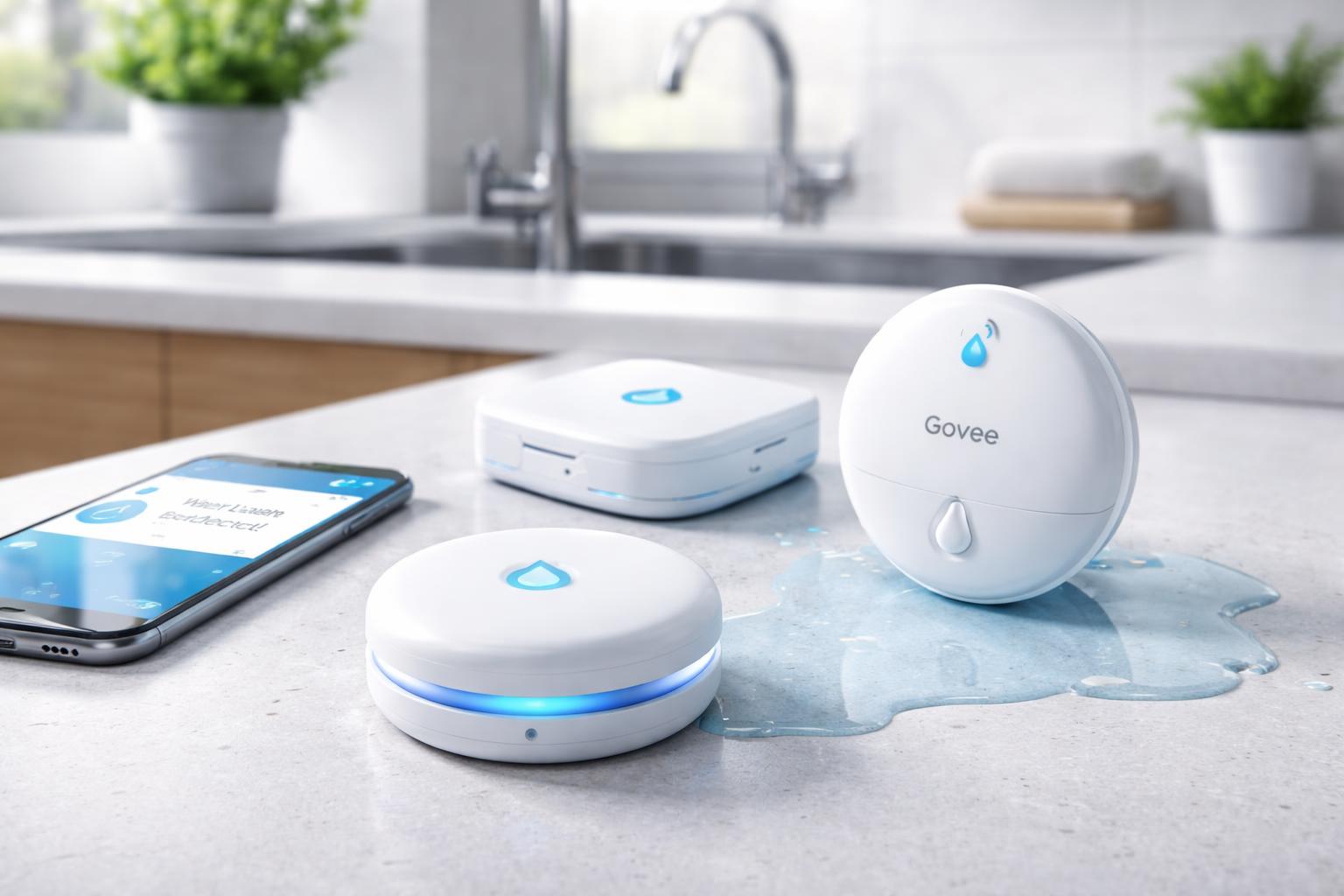
For homeowners seeking peace of mind without recurring costs, the best smart water leak detectors without a monthly subscription typically rely on direct Wi-Fi connections or integrate smoothly with existing smart home hubs that operate locally or via free cloud services. Top contenders in this category include devices from Govee, Aqara, and YoLink, which offer robust detection capabilities and deliver immediate alerts straight to your smartphone, providing essential protection against water damage without any hidden fees.
Quick Answer: The best no-subscription leak detectors are Govee (simplest, Wi-Fi direct), Aqara (best for Apple HomeKit users), and YoLink (best range and battery life). None require monthly fees after purchase.
Why You Need Smart Water Leak Detectors
Water leaks, even small ones, can lead to devastating and costly damage to your home. From warped floors and damaged drywall to hazardous mold growth, the repercussions can be extensive and expensive to repair. Traditional methods of detecting leaks often rely on visual inspection or waiting for visible damage, by which point significant harm may have already occurred.
Smart water leak detectors offer a proactive solution. These small, discreet devices are designed to sense even the slightest presence of water and immediately alert you, often within seconds. This early warning system allows you to address the problem quickly, minimizing potential damage and saving you a substantial amount of money and stress in the long run. Imagine getting an alert on your phone while you’re at work, informing you of a leak under your kitchen sink, instead of returning home to a flooded floor. That’s the power of smart leak detection.
How Smart Water Leak Detectors Work
Smart water leak detectors operate on a simple yet effective principle: sensing the presence of moisture. Most devices feature two or more metallic probes on their underside. When water bridges the gap between these probes, it completes an electrical circuit, triggering the sensor.
Once activated, the detector sends a signal. The method of signal transmission determines its connectivity and how you receive alerts.
- Wi-Fi Detectors: These connect directly to your home’s Wi-Fi network and communicate with a dedicated app on your smartphone. When water is detected, the sensor sends a signal through your router to the app, pushing an immediate notification to your device.
- Hub-Based Detectors (Zigbee, Z-Wave, LoRaWAN): These devices communicate with a central smart home hub rather than directly with Wi-Fi. The hub then relays the information to your smartphone app. The benefit here is often longer battery life and a more robust, dedicated mesh network for communication. The crucial point for “no subscription” is that the hub itself and the associated app do not require ongoing fees.
Upon detection, these sensors typically emit a loud audible alarm to alert anyone nearby, in addition to sending digital notifications. The “subscription-free” aspect means that all these functionalities – local siren, app alerts, and any smart home integration – are available without recurring monthly payments for monitoring or data services. The initial purchase of the sensor and, if needed, a compatible hub, covers the full functionality.
Key Features to Look for in Subscription-Free Detectors
When selecting a smart water leak detector that won’t tie you into a monthly fee, certain features are paramount for ensuring reliability, convenience, and effective protection.
Reliability and Accuracy
The primary purpose of a leak detector is to accurately sense water and do so reliably every time. Look for sensors with sensitive probes that can detect even small amounts of water. Reviews and product specifications can often provide insight into a device’s detection threshold and consistency. A false alarm is inconvenient, but a missed leak can be catastrophic, so accuracy is non-negotiable.
Connectivity Options
The way a sensor connects to your network is crucial for subscription-free operation:
- Wi-Fi: Ideal for direct communication with your router, offering simple setup and typically no need for an extra hub. This is often the most direct route to subscription-free app alerts.
- Zigbee/Z-Wave: These wireless protocols require a compatible hub (like an Aqara Hub or a SmartThings Hub). While an initial hub purchase is necessary, these systems often create a more stable mesh network, extend battery life for sensors, and are inherently subscription-free for basic functionality.
- LoRaWAN: (Long Range Wide Area Network) is a technology focused on ultra-long range and extremely low power consumption, making it excellent for sensors. Like Zigbee/Z-Wave, it requires a dedicated hub (like a YoLink Hub), but it excels in covering large areas or reaching distant parts of your property, all while remaining subscription-free.
Choose the connectivity option that best fits your existing smart home setup or your preferences for simplicity versus robust network performance.
Battery Life
Since these devices are often placed in out-of-the-way locations and need to operate continuously, long battery life is a significant advantage. Sensors with multi-year battery life reduce the frequency of maintenance and the risk of a sensor dying before you notice a leak. Look for devices that offer at least 1-2 years of battery life, with some advanced options extending to 5 years or more.
Notification Methods
Effective leak detection is only half the battle; timely notification is the other. Subscription-free detectors should offer:
- App Alerts: Push notifications to your smartphone are critical for remote monitoring, letting you know about a leak even when you’re away from home.
- Audible Alarms: A loud siren directly on the device is essential for alerting anyone present in the home, especially if your phone isn’t nearby or charged.
- Smart Home Integration: The ability to integrate with platforms like Amazon Alexa, Google Home, or Apple HomeKit can allow for advanced automations, such as flashing smart lights or even triggering a smart water shut-off valve (though this requires additional smart home components). This integration should also be available without a subscription.
Ease of Installation and Setup
Most smart water leak detectors are designed for DIY installation. Look for devices that are easy to pair with your Wi-Fi or hub, and that come with clear instructions. A simple setup means you can deploy them quickly and confidently without needing professional assistance.
Integration with Smart Home Ecosystems
For many, a smart leak detector is part of a larger smart home ecosystem. Ensuring the detector can communicate with your chosen platform (e.g., Apple HomeKit, Google Home, Amazon Alexa) without needing an additional subscription for basic alerts is key. This allows for a unified experience and potential for more complex automations, like having your smart lights turn blue when a leak is detected.
Top Smart Water Leak Detectors Without a Monthly Subscription
When it comes to safeguarding your home against water damage without the burden of ongoing fees, several excellent smart water leak detectors stand out.
Govee Wi-Fi Water Leak Detector
The Govee Wi-Fi Water Leak Detector offers a simple and highly effective solution for leak detection. What makes it particularly appealing for those seeking a subscription-free experience is its direct Wi-Fi connectivity. This means you don’t need a separate hub to get started; the sensor connects directly to your home’s 2.4GHz Wi-Fi network.
When water is detected, the device triggers an immediate, loud 100dB alarm, ensuring anyone nearby is alerted. Simultaneously, it sends push notifications directly to your smartphone via the Govee Home app. This app is free to use and provides real-time alerts, battery status, and an alarm history, all without any subscription charges. Its simple setup involves just connecting it to your Wi-Fi and placing it in a vulnerable spot. The Govee system is known for its reliability and ease of use, making it a great choice for those who prefer a self-contained, Wi-Fi-based solution. You can find more details about these reliable sensors here: Govee water leak sensors.
Aqara Water Leak Sensor
For users already invested in the Aqara ecosystem or those looking for robust HomeKit integration, the Aqara Water Leak Sensor is an excellent subscription-free choice. This compact sensor utilizes the Zigbee protocol, which means it requires an Aqara Hub (such as the M2 or M1S) to function. While an initial investment in the hub is necessary, the hub itself and the Aqara Home app operate without any ongoing subscription fees, providing a truly cost-effective long-term solution.
The Aqara sensor is incredibly discreet and can be placed virtually anywhere. It boasts a very low power consumption, typically offering several years of battery life. Upon detecting water, it sends instant alerts through the Aqara Home app and, if integrated, through Apple HomeKit, Google Home, or Amazon Alexa. Its Zigbee connection provides a stable and responsive network within your home, and its compatibility with HomeKit makes it a favorite for Apple users seeking advanced smart home automations without subscription costs.
YoLink Water Leak Sensor
The YoLink Water Leak Sensor stands out due to its utilization of the LoRaWAN (Long Range Wide Area Network) protocol, offering industry-leading range and exceptional battery life. Similar to Aqara, YoLink devices require a YoLink Hub (such as the YoLink Hub or SpeakerHub) to operate. However, once again, this hub provides all functionalities, including remote alerts and smart home integration, without any monthly subscription fees.
The LoRaWAN technology allows the YoLink sensor to communicate over much greater distances than typical Wi-Fi or Zigbee devices, making it ideal for large homes, properties with outbuildings, or basements where other signals might struggle. Its ultra-low power consumption translates to an impressively long battery life, often several years, before needing replacement. When water is detected, the YoLink Water Leak Sensor sends immediate push notifications to your smartphone via the YoLink app, and can integrate with Alexa and Google Home for voice alerts or automation triggers. If you need extensive range and long-term, low-maintenance operation, YoLink offers a powerful, subscription-free solution.
Smart Water Leak Detectors Comparison Table
To help you decide between these excellent subscription-free options, here’s a quick comparison of their key features:
| Feature | Govee Wi-Fi Water Leak Detector | Aqara Water Leak Sensor | YoLink Water Leak Sensor |
|---|---|---|---|
| Connectivity | Wi-Fi (2.4GHz) | Zigbee | LoRaWAN |
| Hub Requirement | No (Connects directly to Wi-Fi) | Yes (Aqara Hub) | Yes (YoLink Hub) |
| Battery Life | Up to 2 years | Up to 5 years | Up to 5 years |
| Smart Home Integration | Alexa, Google Home (via Govee app) | Apple HomeKit, Alexa, Google Home | Alexa, Google Home |
| On-Device Alarm | 100dB Siren | No (Relies on hub/phone) | No (Relies on hub/phone) |
| Range | Standard Wi-Fi range | Good (Zigbee mesh network) | Excellent (LoRaWAN) |
| Subscription Required | None | None (after hub purchase) | None (after hub purchase) |
| Approx. Price | 15-20 | ~$20–25 (+ hub ~$30) | ~$20–25 (+ hub ~$20) |
Where to Place Your Smart Water Leak Detectors
Strategic placement of your smart water leak detectors is key to maximizing their effectiveness and providing comprehensive protection for your home. Think about any area where water is present or could potentially become an issue.
Common and highly recommended placement areas include:
- Under Sinks: Kitchen and bathroom sinks are frequent culprits for small, hidden leaks from pipes or garbage disposals.
- Near Water Heaters: A leaking water heater can quickly cause significant damage, especially in basements or utility closets.
- Behind Toilets: Toilet leaks can be subtle but damaging, often going unnoticed until a significant problem arises.
- By Washing Machines and Dishwashers: Hoses and connections to these appliances are prone to bursts or slow leaks over time.
- In Basements and Crawl Spaces: These areas are susceptible to groundwater seepage, burst pipes, or issues with sump pumps.
- Near Refrigerators with Ice Makers: The water line to an ice maker is a common source of leaks.
- Near HVAC Condensate Pans: Overflowing condensate pans can cause water damage in attics or utility areas.
- Under Bathtubs and Showers: While harder to access, placing sensors in adjacent crawl spaces or access panels can be beneficial.
Consider placing a detector in any area where water pipes run, or where there’s a risk of an appliance failure. For maximum coverage, having multiple sensors in different critical locations is often the most effective approach.
Setting Up Your Subscription-Free Water Leak Detection System
Setting up most subscription-free smart water leak detectors is a simple process, designed for DIY enthusiasts and beginners alike. Here’s a general guide:
- Unpack and Power Up: Remove the sensor from its packaging. Most battery-powered sensors will come with batteries already inserted or require you to pull a tab to activate them.
- Download the App: Download the manufacturer’s dedicated app (e.g., Govee Home, Aqara Home, YoLink App) from your smartphone’s app store.
- Connect to Network/Hub:
- For Wi-Fi sensors (like Govee): Follow the in-app instructions to connect the sensor directly to your home’s 2.4GHz Wi-Fi network. This usually involves putting the sensor in pairing mode and entering your Wi-Fi credentials.
- For Hub-based sensors (like Aqara, YoLink): Ensure your hub is set up and connected to your home network first. Then, follow the in-app instructions to add the sensor to your hub’s network. This often involves a simple button press on the sensor.
- Name and Customize: Give your sensor a recognizable name (e.g., “Kitchen Sink,” “Water Heater”) within the app for easy identification of alerts. You might also be able to adjust alarm volume or notification preferences.
- Place the Sensor: Position the sensor with its probes touching the surface where a leak might occur. Ensure it’s flat and stable.
- Test the System: This is a crucial step! Place a small amount of water (e.g., a few drops) on the sensor probes to simulate a leak. Verify that the on-device alarm sounds (if applicable) and that you receive an immediate notification on your smartphone. Wipe the sensor dry after testing.
Periodically testing your sensors (every few months) and checking battery levels within the app will ensure your system remains fully operational and ready to protect your home.
Integrating with Your Smart Home
One of the greatest advantages of smart water leak detectors is their ability to integrate with your broader smart home ecosystem, often without requiring any additional subscriptions. Once connected to a compatible hub or directly to Wi-Fi, many of these devices can communicate with platforms like Amazon Alexa, Google Home, or Apple HomeKit.
This integration opens up a world of possibilities for automated responses to a detected leak:
- Voice Announcements: Have your smart speakers announce “Water leak detected in the basement!”
- Lighting Alerts: Program your smart lights to flash red or blue when a leak is found, providing a visual cue.
- Smart Water Shut-off: For ultimate protection, some smart home systems can be configured to automatically trigger a smart water shut-off valve when a leak is detected, immediately stopping the flow of water to prevent further damage. (Note: this requires a separate smart water shut-off valve, which is not included with the leak detectors themselves.)
By leveraging these integrations, your smart water leak detectors become more than just alert systems; they become an integral part of your home’s automated safety and convenience features. To learn more about setting up these kinds of connected systems, you might find our Smart Home Automation for Beginners: A Complete Checklist for 2026 helpful.
FAQ Section
Do all smart water leak detectors require a subscription?
No, absolutely not. As highlighted in this article, many excellent smart water leak detectors, including those from Govee, Aqara, and YoLink, are designed to function entirely without a monthly subscription. They provide local alarms and remote smartphone notifications through their respective apps or smart home hubs as part of the initial purchase, ensuring peace of mind without recurring costs.
How long do the batteries last in these sensors?
Battery life varies significantly depending on the sensor’s connectivity technology and manufacturer. Wi-Fi direct sensors typically last between 1-2 years, while Zigbee and LoRaWAN sensors, which are more power-efficient, can often last 3-5 years or even longer. Most apps provide a battery level indicator so you can anticipate when replacements are needed.
Can these sensors notify me if I’m away from home?
Yes, as long as your smart water leak detector is connected to your home’s Wi-Fi network (either directly or via a hub) and your home internet service is active, it can send push notifications directly to your smartphone app no matter where you are. This allows for immediate awareness and action, even when you’re not at home.
What’s the difference between Wi-Fi, Zigbee, and LoRaWAN for these devices?
These are different wireless communication protocols:
- Wi-Fi: Connects directly to your home router, no hub needed. Good for basic alerts, but can consume more battery power.
- Zigbee: Requires a compatible hub, creating a mesh network. Offers good range and excellent battery life due to low power consumption. Great for larger smart home ecosystems.
- LoRaWAN: Requires a dedicated hub. Provides exceptionally long range and extremely long battery life, ideal for very large homes or properties where other signals might not reach.
Are these devices difficult to install?
Generally, no. Most smart water leak detectors are designed for easy, DIY installation. The setup process typically involves simply inserting batteries, downloading a free app, and following on-screen instructions to connect the device to your Wi-Fi or smart home hub. Placement is as simple as setting the sensor on a flat surface in a vulnerable area.
Final Verdict
Protecting your home from the potentially devastating effects of water leaks doesn’t have to come with the burden of ongoing monthly fees. The market offers a range of reliable, subscription-free smart water leak detectors that provide instant alerts and seamless smart home integration. By choosing devices like those from Govee, Aqara, or YoLink, you can secure your property, gain valuable peace of mind, and prevent costly damage, all while staying firmly in control of your smart home budget. Invest in smart leak detection today and safeguard your home for tomorrow.